WEKA Explained: How This Data Mining Tool Turns a Dataset Into Knowledge
Machine learning can look intimidating when the first step seems to involve writing hundreds of lines of code.
There are datasets to clean, attributes to select, algorithms to configure, models to evaluate, and results to compare. For someone learning data mining, the hardest part can sometimes be understanding what the algorithm is actually doing rather than learning another programming library.
This is where WEKA becomes especially useful.
WEKA—short for Waikato Environment for Knowledge Analysis—is an open-source machine learning and data mining workbench developed at the University of Waikato in New Zealand. It brings together tools for data preparation, classification, regression, clustering, association-rule mining, attribute selection, visualization, and experimentation in a common environment.
Its graphical interfaces make it possible to explore many machine-learning techniques without building an entire application around them first.
That makes WEKA particularly interesting for:
- students learning data mining
- beginners exploring machine learning concepts
- researchers comparing algorithms
- instructors demonstrating machine-learning workflows
- analysts experimenting with structured datasets
- developers who want to understand algorithms before implementing them in code
This article explains what the WEKA data mining tool is, how its major interfaces work, what kinds of machine-learning tasks it supports, and where it fits in a modern data-science workflow.
What Is WEKA?
WEKA is an open-source collection of machine-learning algorithms and data-preprocessing tools.
The name stands for Waikato Environment for Knowledge Analysis.
WEKA was developed at the University of Waikato in New Zealand and is written in Java. The project has been used extensively for teaching, research, experimentation, and practical data-mining work.
One of WEKA's biggest strengths is that many different data-mining operations can be accessed through a common interface.
Instead of thinking about machine learning as one giant process, WEKA lets the learner explore it as a sequence:
Dataset
   ↓
Preprocessing
   ↓
Exploration
   ↓
Algorithm selection
   ↓
Model training
   ↓
Evaluation
   ↓
Visualization
   ↓
Comparison
That sequence is important because machine learning is rarely just:
"Choose an algorithm and press Run."
The quality of the input data, the choice of attributes, the evaluation method, and the interpretation of the output can all influence the result.
WEKA makes those stages visible.
Why Was WEKA Created?
One reason WEKA has remained useful in education is that it lowers the barrier between machine-learning theory and experimentation.
A student may learn about:
- decision trees
- nearest-neighbor methods
- Bayesian classifiers
- clustering
- association rules
- cross-validation
- attribute selection
But understanding those ideas becomes much easier when an actual dataset can be loaded and tested.
WEKA provides an environment where different techniques can be applied to the same data and their results compared.
The goal is not to eliminate programming.
Instead, WEKA can help separate two questions:
Question 1: How does this machine-learning method behave?
Question 2: How would this method be implemented inside a production software system?
For learning and experimentation, answering the first question without immediately having to build the second can be extremely valuable.
WEKA Is More Than a Single Application Window
One of the most interesting things about WEKA is that it provides several interfaces for different styles of work.
The major interfaces include:
- Explorer
- KnowledgeFlow
- Experimenter
- Workbench
- Command-line interfaces
Each serves a different purpose.
A beginner will often start with Explorer, while more structured experimentation can lead to KnowledgeFlow or Experimenter.
1. WEKA Explorer
The Explorer is usually the easiest place to start.
It provides a graphical environment where a dataset can be loaded, examined, transformed, modeled, and visualized.
The workflow can be thought of as:
Load data
   ↓
Preprocess
   ↓
Classify
   ↓
Cluster
   ↓
Associate
   ↓
Select attributes
   ↓
Visualize
The exact workflow depends on the problem.
For example, a classification problem might use:
Dataset
   ↓
Preprocess
   ↓
Choose target class
   ↓
Select classifier
   ↓
Train
   ↓
Evaluate
   ↓
Inspect results
The Explorer makes each stage visible through its interface.
2. WEKA KnowledgeFlow
The KnowledgeFlow interface takes a different approach.
Instead of treating the analysis as a sequence of menu operations, it represents the workflow as connected components.
A conceptual workflow might look like:
Data Source
    ↓
Preprocessing
    ↓
Classifier
    ↓
Evaluation
    ↓
Visualization
The components can be connected to represent a data-processing flow.
This is useful when the goal is to understand the pipeline rather than simply execute one operation.
KnowledgeFlow can also support incremental processing when the relevant algorithms and filters support incremental learning.
That makes the interface particularly interesting for understanding how data moves through a machine-learning workflow.
3. WEKA Experimenter
The Experimenter is designed around a different question:
Which method works best for this problem?
Suppose a dataset needs to be evaluated using several classifiers.
Rather than manually running each classifier one at a time, an experiment can be configured to compare multiple algorithms across datasets and evaluation settings.
A simplified experiment might look like:
Dataset A ─┐
Dataset B ─┼──→ Algorithm 1
Dataset C ─┘

Dataset A ─┐
Dataset B ─┼──→ Algorithm 2
Dataset C ─┘

              ↓

        Compare Results
This makes WEKA useful not only for building models but also for experimental comparison.
That distinction matters.
A model that performs well on one dataset is not automatically the best model for every dataset.
4. WEKA Workbench
The Workbench provides a unified graphical environment that brings WEKA's different applications together.
For learners, this can make the broader WEKA ecosystem easier to navigate.
Instead of thinking:
"Which WEKA application should be opened?"
the Workbench provides a central starting point for accessing the available tools and installed components.
5. Command-Line Access
WEKA is not limited to graphical interfaces.
Its functionality can also be accessed through textual commands.
This matters because data-mining work often eventually becomes part of a larger automated process.
A graphical experiment may be useful for learning and exploration, while command-line execution can be more appropriate for repeatable workflows or integration into other systems.
WEKA also provides an API that allows its Java classes and functionality to be incorporated into other Java software.
So although WEKA is well known for its GUI, it is not simply a point-and-click application.
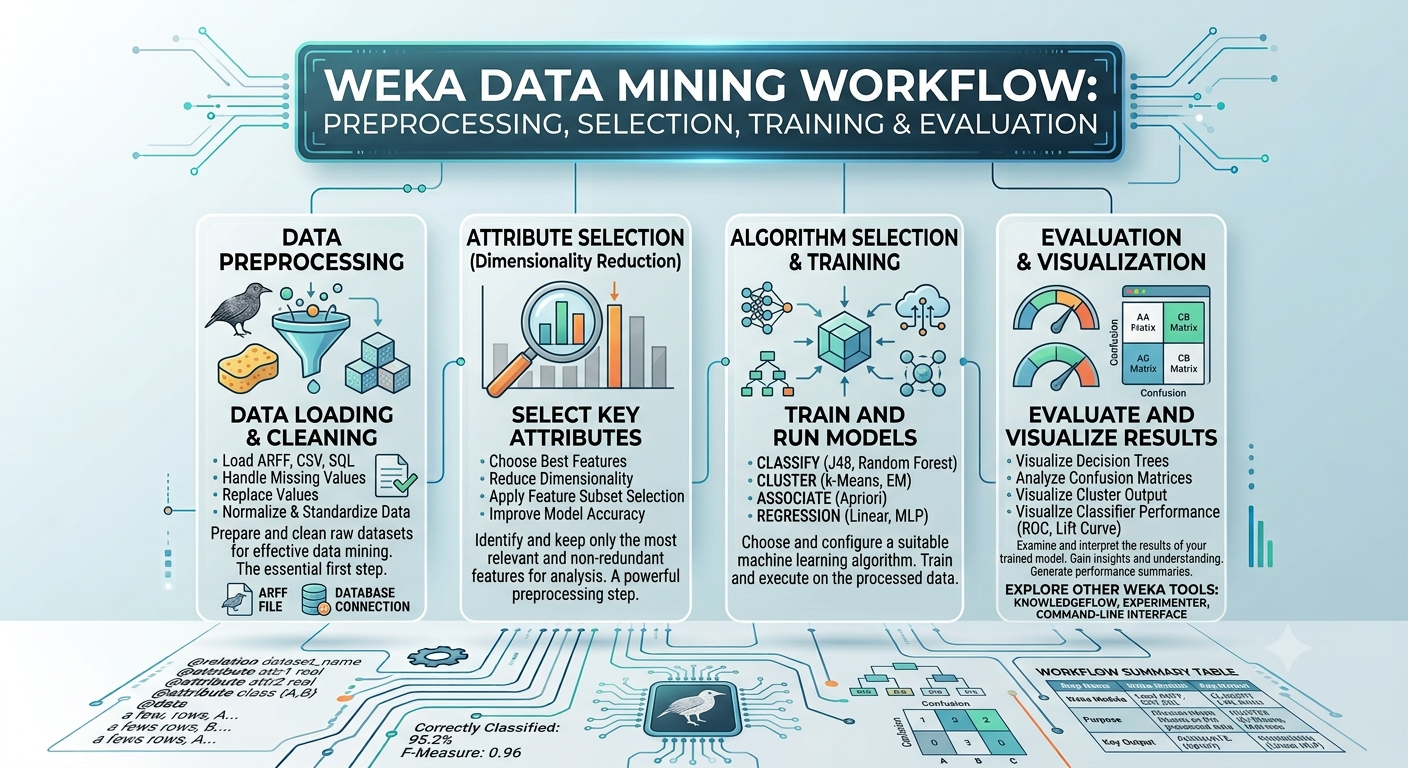
Understanding the WEKA Data Mining Workflow
The easiest way to understand WEKA is to follow a complete data-mining workflow.
Consider a simple example.
Suppose a dataset contains information about customers:
| Age | Income | Visits | Subscription | |---:|---:|---:|---| | 24 | 28000 | 3 | No | | 31 | 42000 | 7 | Yes | | 45 | 61000 | 9 | Yes | | 22 | 25000 | 2 | No |
The objective is to predict whether a customer will subscribe.
This is a classification problem.
WEKA can be used to explore that problem from several angles.
Step 1: Load the Dataset
The first step is getting data into WEKA.
WEKA can work with several forms of structured data, including its own ARFF format and commonly used formats such as CSV.
An ARFF file describes attributes and instances explicitly.
A simplified example looks like this:
@relation customers

@attribute age numeric
@attribute income numeric
@attribute visits numeric
@attribute subscription {yes,no}

@data
24,28000,3,no
31,42000,7,yes
45,61000,9,yes
22,25000,2,no
The important idea is that WEKA needs to understand:
- what each attribute represents
- what type of value it contains
- which values belong to each observation
Step 2: Preprocess the Data
Data preprocessing is one of the most important stages in machine learning.
Real-world datasets are rarely perfect.
They may contain:
- missing values
- irrelevant attributes
- inconsistent values
- duplicate observations
- different scales
- categorical variables
- numerical variables
- noisy data
WEKA provides filters for transforming and preparing data.
For example, a filter may be used to:
- remove attributes
- replace missing values
- normalize numerical values
- discretize continuous values
- select attributes
- transform instances
This stage is critical because an algorithm can only learn from the information supplied to it.
Poor input can produce poor models even when the algorithm itself is excellent.
Step 3: Explore the Data
Before selecting an algorithm, it is useful to understand the dataset.
Questions might include:
- How many instances are present?
- Which attributes are numeric?
- Which attributes are categorical?
- Are values missing?
- Which variables appear related?
- Is the target class balanced?
- Are some attributes likely to be irrelevant?
WEKA's visualization features can help make these patterns easier to inspect.
This is an important lesson for beginners:
Data mining does not begin with an algorithm. It begins with understanding the data.
Step 4: Choose a Machine-Learning Task
Different questions require different types of analysis.
WEKA supports several major data-mining tasks.
Classification
Classification predicts a categorical outcome.
Examples:
- spam or not spam
- fraudulent or legitimate
- approved or rejected
- disease category A, B, or C
A dataset might contain:
Age
Income
Visits
Subscription
where Subscription is the target class.
Regression
Regression predicts a numerical value.
Examples:
- house price
- sales amount
- temperature
- delivery time
Instead of predicting:
Yes / No
a regression model might predict:
₹742,500
The underlying task is different from classification, so a different family of algorithms and evaluation measures is appropriate.
Clustering
Clustering attempts to discover groups within data without a predefined target class.
For example, customer data might naturally separate into groups such as:
Cluster 1 → low activity
Cluster 2 → frequent users
Cluster 3 → high-value customers
The important difference is that the groups are discovered from the data rather than supplied as known labels.
Association Rule Mining
Association rules look for relationships between items or events.
A classic example is shopping behavior:
Bread + Butter
        ↓
     Milk
The purpose is not necessarily to predict a single target variable.
Instead, the goal is to discover patterns such as:
Customers who purchase X frequently also purchase Y.
This can be useful for market-basket analysis and exploratory data mining.
Classification in WEKA
Classification is one of the most common ways beginners use WEKA.
The process can be represented as:
Training Data
     ↓
Choose Classifier
     ↓
Build Model
     ↓
Test Model
     ↓
Measure Performance
WEKA provides access to many classification techniques.
Depending on the installed version and configuration, examples include:
- decision trees
- rule-based learners
- Bayesian methods
- nearest-neighbor methods
- support vector machines
- neural-network methods
- ensemble approaches
The important lesson is not to memorize the list.
The important question is:
Why would one classifier be preferable to another for a particular dataset?
That is where evaluation becomes important.
Decision Trees: A Good Learning Example
Decision trees are particularly useful for understanding machine learning because the resulting model can often be interpreted as a series of decisions.
Conceptually:
             Income > 40000?
                /       \
              Yes        No
              /           \
        Visits > 5?       No
          /    \
        Yes     No
        |        |
       Yes       No
The model is effectively learning a collection of rules from the training data.
A tree can therefore make the relationship between attributes and predictions easier to visualize than some other models.
That does not automatically make decision trees the best algorithm for every problem.
It simply makes them a useful teaching and experimentation tool.
Regression in WEKA
Regression becomes relevant when the target variable is numeric.
Imagine a dataset containing:
Area
Bedrooms
Location Score
Age
Price
The objective is to estimate Price.
A regression workflow might look like:
Historical Data
      ↓
Preprocess
      ↓
Choose Regression Method
      ↓
Train Model
      ↓
Evaluate Predictions
The evaluation metrics are also different from simple classification accuracy.
Depending on the experiment, measures such as:
- mean absolute error
- root mean squared error
- relative error
- correlation
can help describe performance.
Clustering in WEKA
Clustering is an example of unsupervised learning.
There is no known class label telling the algorithm what the correct group should be.
Instead, the algorithm searches for structure.
For example:
Customer data
      ↓
Clustering algorithm
      ↓
┌───────────┬───────────┬───────────┐
│ Cluster A │ Cluster B │ Cluster C │
└───────────┴───────────┴───────────┘
A common example is k-means clustering, where the analyst specifies the number of clusters to seek.
The result then needs interpretation.
If three clusters are produced, the software does not automatically know that one is "budget customers" and another is "premium customers."
Those meanings must be derived from the attributes and domain knowledge.
Association Rules and Pattern Discovery
Association-rule mining is another distinctive part of data mining.
Suppose transaction data looks like:
Transaction 1 → Bread, Milk
Transaction 2 → Bread, Butter, Milk
Transaction 3 → Bread, Butter
Transaction 4 → Milk, Eggs
An association-rule algorithm may discover relationships between items.
A rule might conceptually look like:
Bread → Butter
But a rule is only useful when its statistical measures indicate that the relationship is meaningful.
Important concepts include:
Support
How frequently does the pattern occur?
Confidence
When the antecedent occurs, how often does the consequent occur?
Lift
How much stronger is the relationship compared with what would be expected from the individual item frequencies?
These concepts help prevent the analyst from treating every observed combination as meaningful.
Attribute Selection
More attributes do not necessarily mean a better model.
A dataset might contain hundreds of variables, but only some may contribute useful information.
WEKA provides tools for attribute selection.
The general workflow is:
Large Feature Set
       ↓
Search / Evaluation Method
       ↓
Important Attributes
       ↓
Build Model
Attribute selection can help:
- reduce dimensionality
- remove irrelevant variables
- simplify models
- improve interpretability
- potentially improve predictive performance
However, feature selection must be handled carefully.
If information from the test set leaks into the feature-selection process, the resulting performance estimate can become overly optimistic.
This is one reason machine-learning evaluation requires more thought than simply obtaining a high percentage from a single run.
How WEKA Evaluates a Model
A machine-learning model must be evaluated on data that provides a meaningful estimate of how it will perform beyond the training examples.
One common approach is cross-validation.
For example, in 10-fold cross-validation:
Dataset
   ↓
┌────┬────┬────┬────┬────┐
│  1 │  2 │  3 │  4 │  5 │
├────┼────┼────┼────┼────┤
│  6 │  7 │  8 │  9 │ 10 │
└────┴────┴────┴────┴────┘
The data is divided into folds.
The model is trained using most folds and evaluated on the remaining fold. This process is repeated so that each fold serves as the evaluation portion.
The results can then be aggregated.
The purpose is to obtain a more reliable estimate than evaluating the model on the same data used to train it.
Accuracy Is Not Always Enough
Suppose a classifier achieves:
99% accuracy
That sounds excellent.
But imagine that only 1% of the dataset contains fraudulent transactions.
A model that predicts "not fraud" every time could already achieve approximately 99% accuracy while completely failing to detect fraud.
This is why other metrics may matter.
Depending on the task, useful measures can include:
- precision
- recall
- F-measure
- ROC-related measures
- confusion matrices
- class-specific performance
WEKA makes many of these evaluation results available during model assessment.
The lesson is simple:
A high accuracy number does not automatically mean a useful model.
Understanding the Confusion Matrix
For a binary classification problem, a confusion matrix can separate predictions into categories such as:
                    Actual
                 Positive  Negative

Predicted Positive   TP       FP

Predicted Negative   FN       TN
Where:
- TP = true positive
- TN = true negative
- FP = false positive
- FN = false negative
From these values, several useful metrics can be calculated.
For example:
Precision
TP / (TP + FP)
Recall
TP / (TP + FN)
Understanding this output is much more valuable than simply knowing where to click in WEKA.
WEKA Visualization
Visualization is another important part of exploratory data mining.
A model can produce numerical results, but visual inspection can reveal patterns that are difficult to notice in tables.
For example, a scatter plot might reveal:
   • •
 • • •
          ○ ○
        ○ ○ ○
This could suggest that observations form separate groups.
Visualization can therefore influence algorithm selection.
If a dataset appears naturally clustered, clustering may be worth exploring.
If two variables appear strongly related, regression may be appropriate.
If the data contains overlapping classes, a simple classifier may struggle.
The important point is that visualization can inform modeling decisions rather than being merely a final presentation step.
WEKA and Data Preprocessing
A large part of successful machine learning happens before the model is trained.
Consider a dataset containing:
Age
Income
Country
Missing Values
Duplicate Records
The analyst may need to decide:
- Should missing values be replaced?
- Should duplicate observations be removed?
- Should a variable be excluded?
- Should numerical values be normalized?
- Should categories be transformed?
- Should a continuous variable be discretized?
WEKA's filtering system provides a broad set of preprocessing operations.
This is one reason WEKA is valuable as a teaching tool.
It makes the data preparation stage visible instead of hiding it behind a library call.
WEKA's ARFF Format
One term frequently encountered when learning WEKA is ARFF.
ARFF stands for Attribute-Relation File Format.
It is a structured format designed to describe datasets in a way WEKA can process.
A basic ARFF file has sections describing:
- the relation
- the attributes
- the data
For example:
@relation students

@attribute study_hours numeric
@attribute attendance numeric
@attribute passed {yes,no}

@data
5,85,yes
2,60,no
7,92,yes
ARFF is particularly useful for learning because the dataset's schema is explicitly visible.
CSV can be convenient for general data exchange, while ARFF carries information about attributes and their types in the file itself.
WEKA vs Python Machine Learning Libraries
A natural question is:
If Python libraries such as scikit-learn exist, why learn WEKA?
The answer depends on the objective.
WEKA is especially useful for:
- learning machine-learning concepts
- experimenting through a GUI
- comparing algorithms quickly
- teaching data mining
- inspecting preprocessing steps
- understanding evaluation
- running structured experiments
Python is especially useful for:
- production applications
- custom data pipelines
- large software projects
- automation
- integration with web applications
- deep learning ecosystems
- broader data-engineering workflows
A learner does not necessarily have to choose one forever.
A productive progression can be:
Concepts
   ↓
WEKA experimentation
   ↓
Understand algorithms
   ↓
Python implementation
   ↓
Build applications
   ↓
Production ML systems
WEKA can therefore serve as a bridge between machine-learning theory and programming-based machine learning.
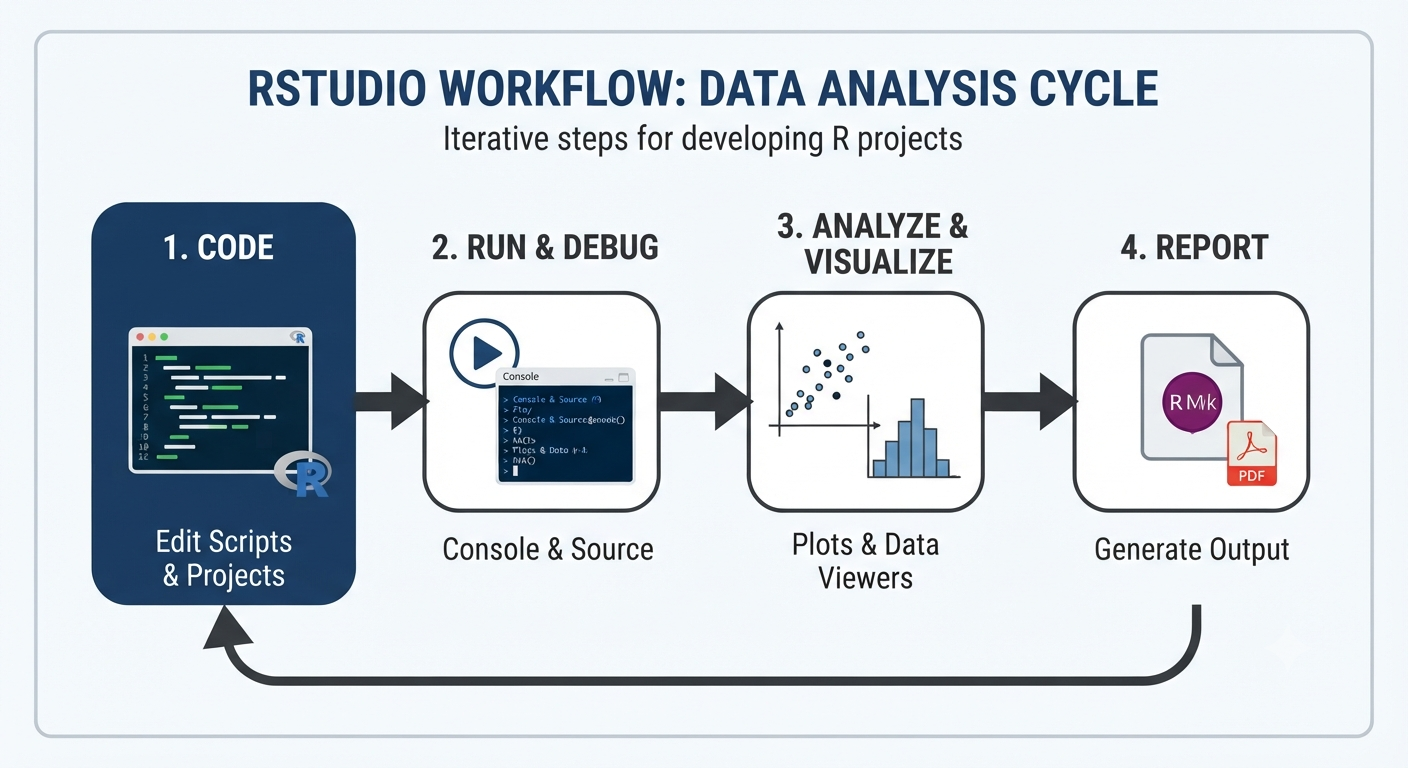
WEKA vs R and Other Data-Mining Tools
WEKA also differs from environments such as R.
R is a programming language and statistical computing environment with a vast ecosystem of packages.
WEKA is more focused on providing an integrated machine-learning and data-mining workbench.
That difference affects how the tools feel.
With a programming environment, the workflow may look like:
Write code
   ↓
Load package
   ↓
Load data
   ↓
Transform data
   ↓
Train model
   ↓
Evaluate
With WEKA Explorer, many of those operations can be performed through the GUI.
Neither approach is universally better.
The appropriate tool depends on whether the primary goal is interactive experimentation, statistical programming, automation, software development, or production deployment.
When Is WEKA a Good Choice?
WEKA is particularly useful when the goal is to learn how data-mining workflows operate.
It is a strong choice for:
Students
WEKA can make abstract machine-learning concepts concrete.
Teachers
Instructors can demonstrate algorithms and evaluation without spending the entire lesson writing boilerplate code.
Researchers
Researchers can compare techniques and run controlled experiments.
Beginners
A graphical interface can reduce the initial programming burden.
Algorithm exploration
Different algorithms can be tested against the same dataset relatively quickly.
When WEKA May Not Be the Best Choice
WEKA is not designed to replace every modern data-science platform.
A different technology may be more appropriate when the task involves:
- extremely large datasets
- distributed data processing
- production-scale machine learning
- cloud-native pipelines
- advanced deep learning
- sophisticated MLOps
- complex software integration
For example, a production system might require:
Data Warehouse
      ↓
ETL / Data Pipeline
      ↓
Feature Engineering
      ↓
Model Training
      ↓
Model Registry
      ↓
Deployment
      ↓
Monitoring
WEKA can be valuable for experimentation, but a production architecture may require a much broader technology stack.
A Practical WEKA Learning Exercise
A useful way to learn WEKA is to take a small dataset and follow the complete workflow.
Step 1 — Choose a dataset
Start with a relatively small, understandable dataset.
Step 2 — Load it into Explorer
Inspect the attributes and number of instances.
Step 3 — Preprocess
Look for missing values, irrelevant attributes, and unusual data.
Step 4 — Visualize
Look for relationships and possible groups.
Step 5 — Choose a task
Decide whether the problem is:
- classification
- regression
- clustering
- association analysis
Step 6 — Try multiple algorithms
Do not stop at the first result.
Step 7 — Evaluate properly
Use an appropriate evaluation strategy rather than relying on training performance.
Step 8 — Compare
Record which algorithms perform well and under what conditions.
Step 9 — Interpret
Ask why one method performed differently from another.
Step 10 — Repeat
Change preprocessing or algorithm settings and see what happens.
This turns WEKA from a collection of buttons into an actual data-mining laboratory.
Common Mistakes Beginners Make With WEKA
Learning the interface is only part of learning data mining.
Several mistakes are especially common.
Mistake 1: Choosing an algorithm before understanding the data
The most complicated algorithm is not automatically the best algorithm.
Start with the problem and the dataset.
Mistake 2: Treating training accuracy as final performance
A model can memorize training data and still perform poorly on unseen data.
Always consider an appropriate evaluation strategy.
Mistake 3: Ignoring preprocessing
Dirty or poorly structured data can undermine the entire experiment.
Mistake 4: Comparing models using only one metric
Different metrics answer different questions.
A classifier with slightly lower accuracy might be much better when recall or precision matters.
Mistake 5: Assuming correlation means causation
A strong relationship between two variables does not prove that one causes the other.
Data mining can discover patterns, but interpreting those patterns requires domain knowledge.
Mistake 6: Treating WEKA's output as an explanation of reality
A machine-learning model identifies patterns in the supplied data.
It does not automatically establish why those patterns exist.
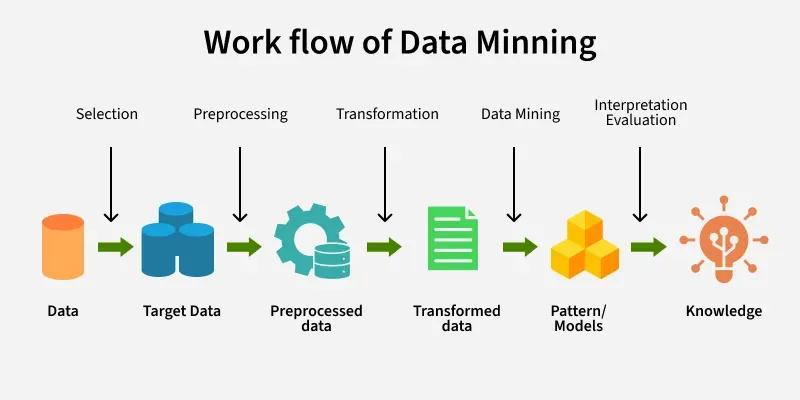
The Bigger Lesson Behind WEKA
The most valuable thing about WEKA is not any particular classifier.
It is the workflow it teaches.
A complete data-mining problem involves much more than choosing an algorithm:
Problem
  ↓
Data
  ↓
Preprocessing
  ↓
Exploration
  ↓
Feature Selection
  ↓
Algorithm
  ↓
Training
  ↓
Evaluation
  ↓
Comparison
  ↓
Interpretation
That workflow is transferable.
The same thinking applies when working with Python libraries, R, cloud machine-learning platforms, or production ML systems.
The interface changes.
The fundamental reasoning does not.
Frequently Asked Questions About WEKA
What is WEKA used for?
WEKA is used for data mining and machine learning tasks such as preprocessing, classification, regression, clustering, association-rule mining, attribute selection, visualization, and experimental comparison.
Is WEKA a programming language?
No. WEKA is a machine-learning and data-mining software environment written in Java.
Is WEKA good for beginners?
Yes. Its graphical interfaces can make machine-learning concepts easier to explore without requiring extensive programming at the beginning.
What is WEKA Explorer?
Explorer is WEKA's interactive graphical interface for loading data, preprocessing datasets, building models, evaluating algorithms, and visualizing results.
What is WEKA KnowledgeFlow?
KnowledgeFlow is a visual workflow environment where data sources, preprocessing steps, learning algorithms, evaluation components, and visualization components can be connected into a processing flow.
What is WEKA Experimenter?
Experimenter is designed for systematic comparison of machine-learning methods across datasets and experimental configurations.
Can WEKA perform classification?
Yes. WEKA includes many classification algorithms and provides facilities for training and evaluating classifiers.
Can WEKA perform regression?
Yes. WEKA includes regression methods for predicting numeric target values.
Can WEKA perform clustering?
Yes. WEKA includes clustering algorithms for unsupervised learning.
Can WEKA perform association-rule mining?
Yes. Association-rule mining is one of the data-mining capabilities available in WEKA.
Is WEKA still useful for learning machine learning?
Yes. The University of Waikato continues to describe WEKA as an open-source machine-learning and data-mining tool, and it remains useful for education, experimentation, and research.
Final Takeaway
WEKA is best understood as a data-mining and machine-learning workbench rather than simply a graphical alternative to programming.
Its real strength is the way it exposes the complete experimental process:
prepare the data → explore it → choose a method → train a model → evaluate it → compare results → interpret the findings.
For beginners, that makes WEKA particularly valuable.
Instead of spending the first stages of learning on software engineering and library syntax, a learner can focus on questions such as:
What type of problem is this?
What does the dataset actually contain?
Which attributes matter?
Which algorithm should be tested?
How should the model be evaluated?
What does the result really mean?
Those are the foundations of data mining.
Once those ideas are understood, moving from WEKA to Python, R, or production machine-learning frameworks becomes much easier.
WEKA's greatest lesson is therefore not:
"Click this button to run a classifier."
It is:
Good machine learning is an experimental process, not just an algorithm.